
Using Models in Threads
You can select a model when creating a thread or change the model used by an existing thread.
【Selecting a Model When Creating a Thread】
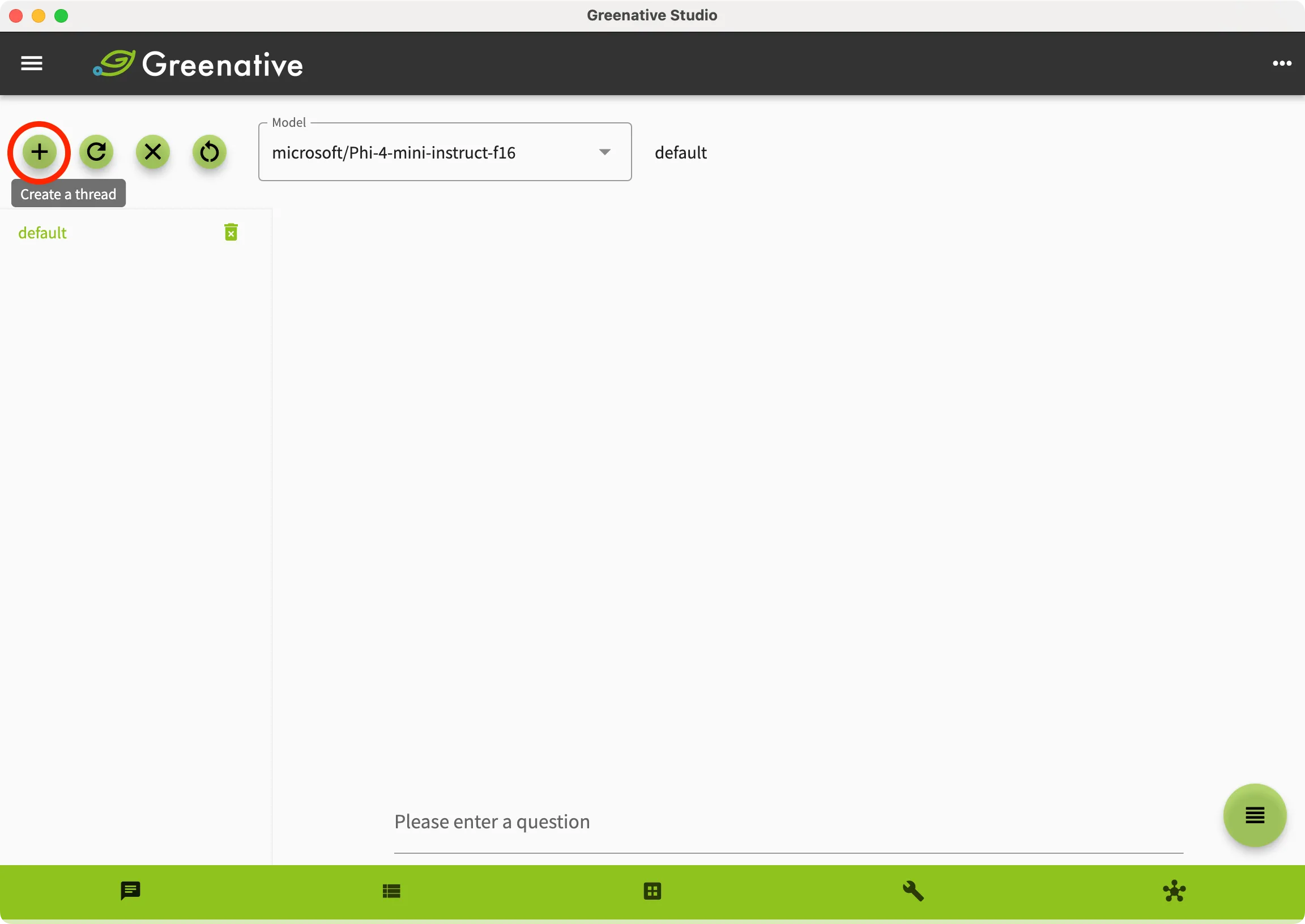 | 1. Open the “Chat” screen. 2. Click  at the top of the thread list. at the top of the thread list. |
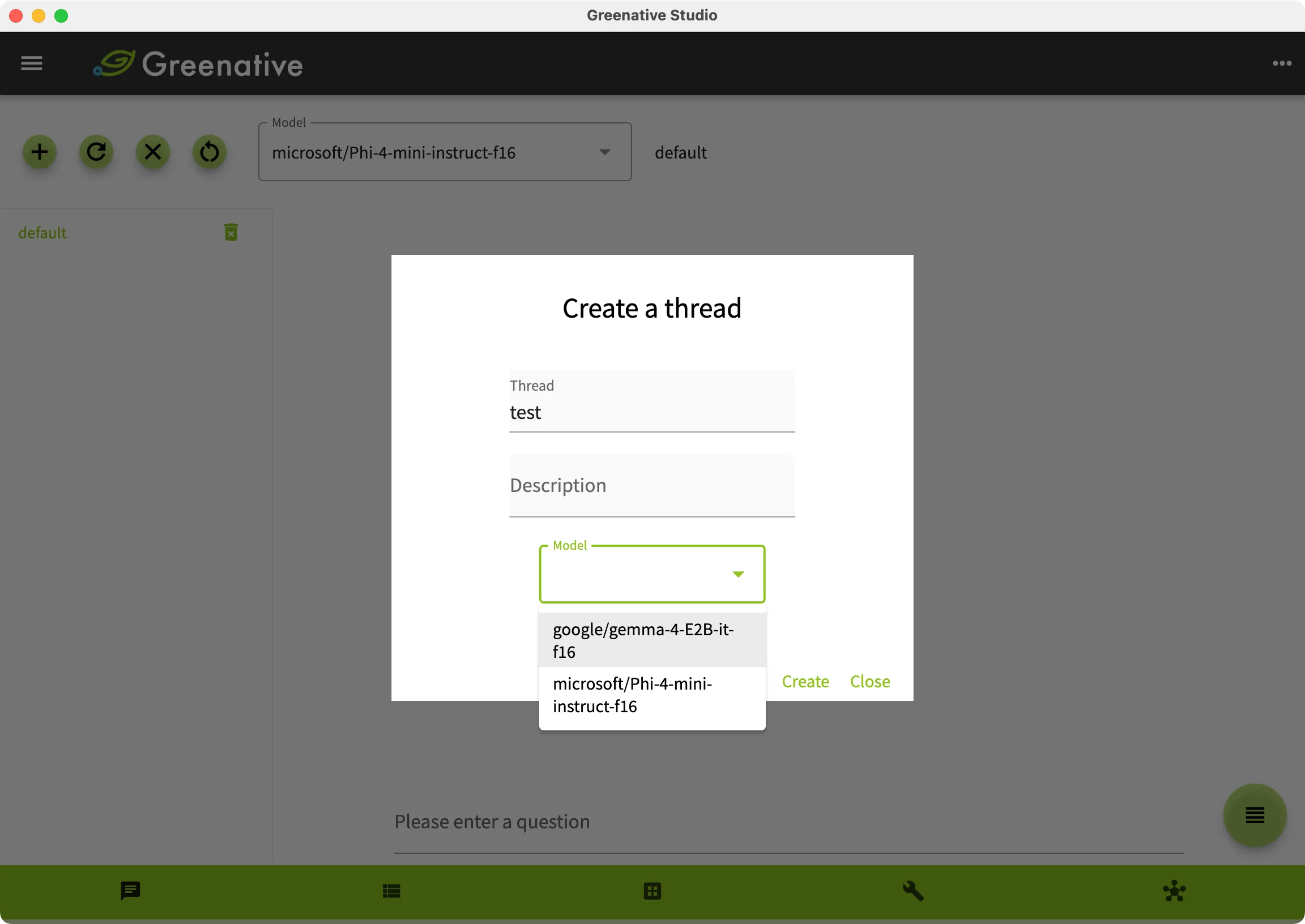 |
3. Enter the thread name and description, select the model you want to use, and click “Create”. |
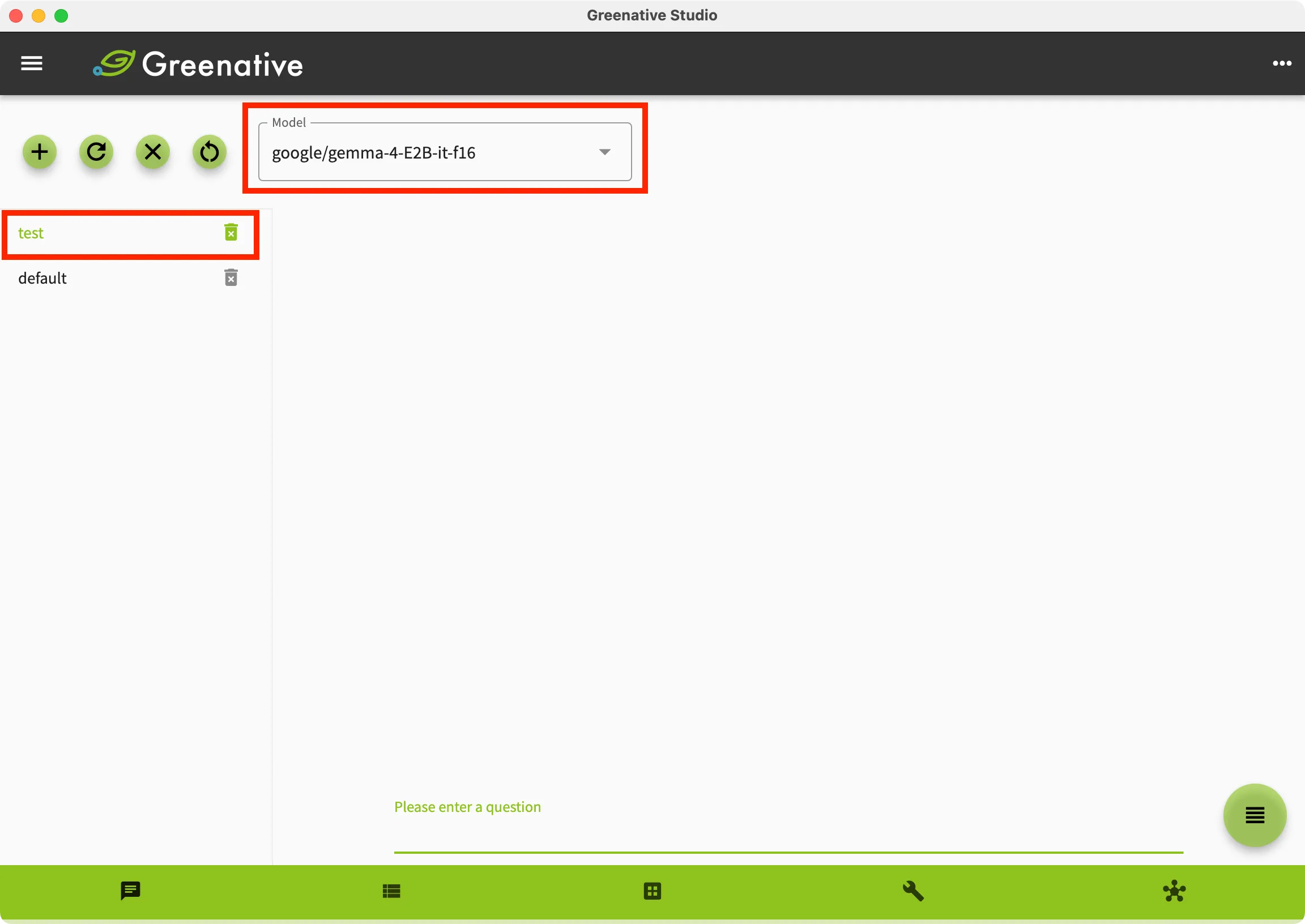 |
4. A thread using the selected model will be created. |
【Changing the Model of an Existing Thread】
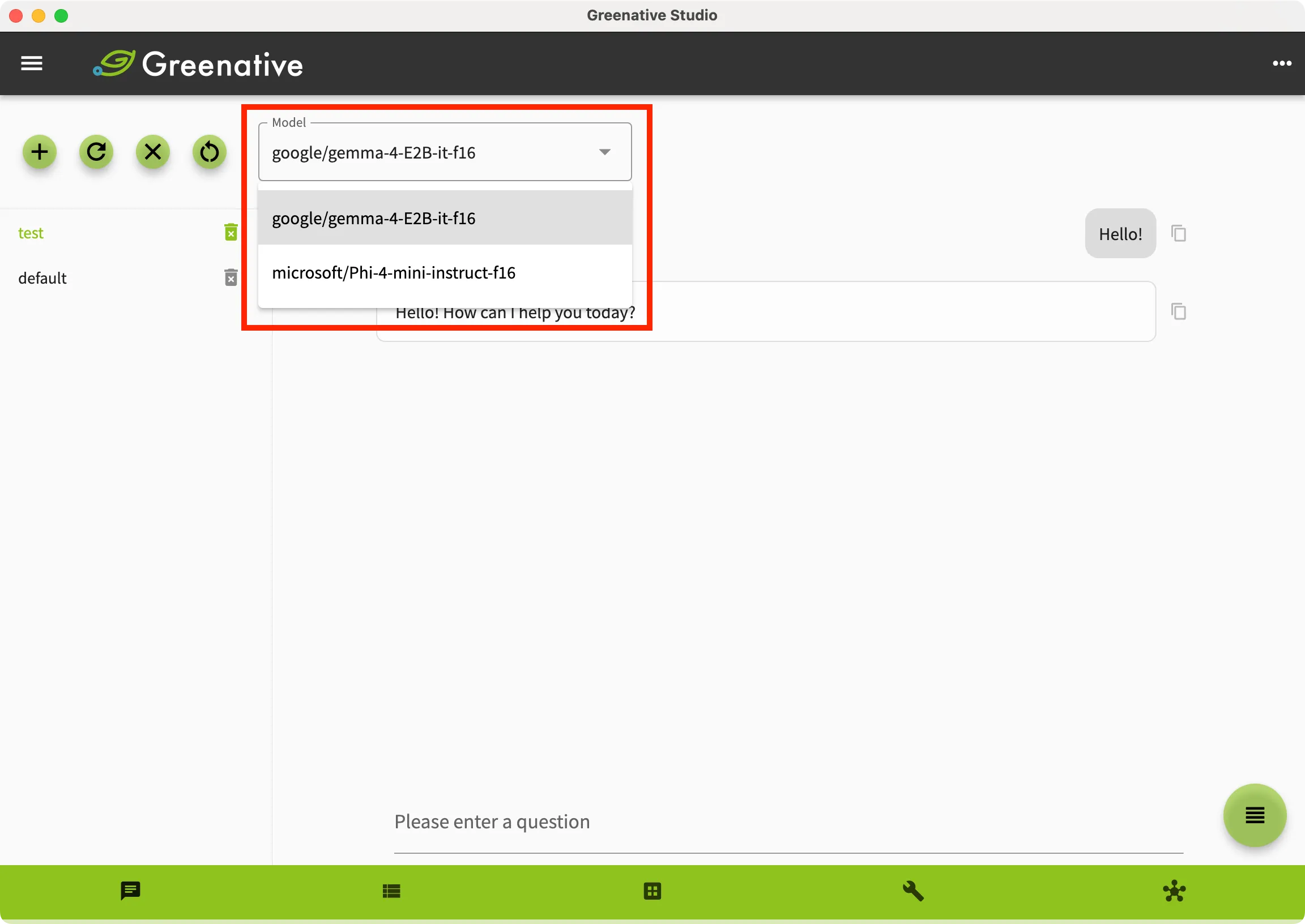 |
1. Open the “Chat” screen. 2. Select the thread for which you want to change the model from the thread list. 3. Select the model you want to use from the model list at the top of the screen.s 4. Start chatting after the model attachment is complete. |